
Corporate LMS

Training in the flow of work, with tracked completion

Centralize learning paths, courses, onboarding, certification, and reports in the same environment where communication, documents, and internal journeys already live.

Learning paths and courses • Contextual onboarding • Progress, certificates, and analytics • Connected official content

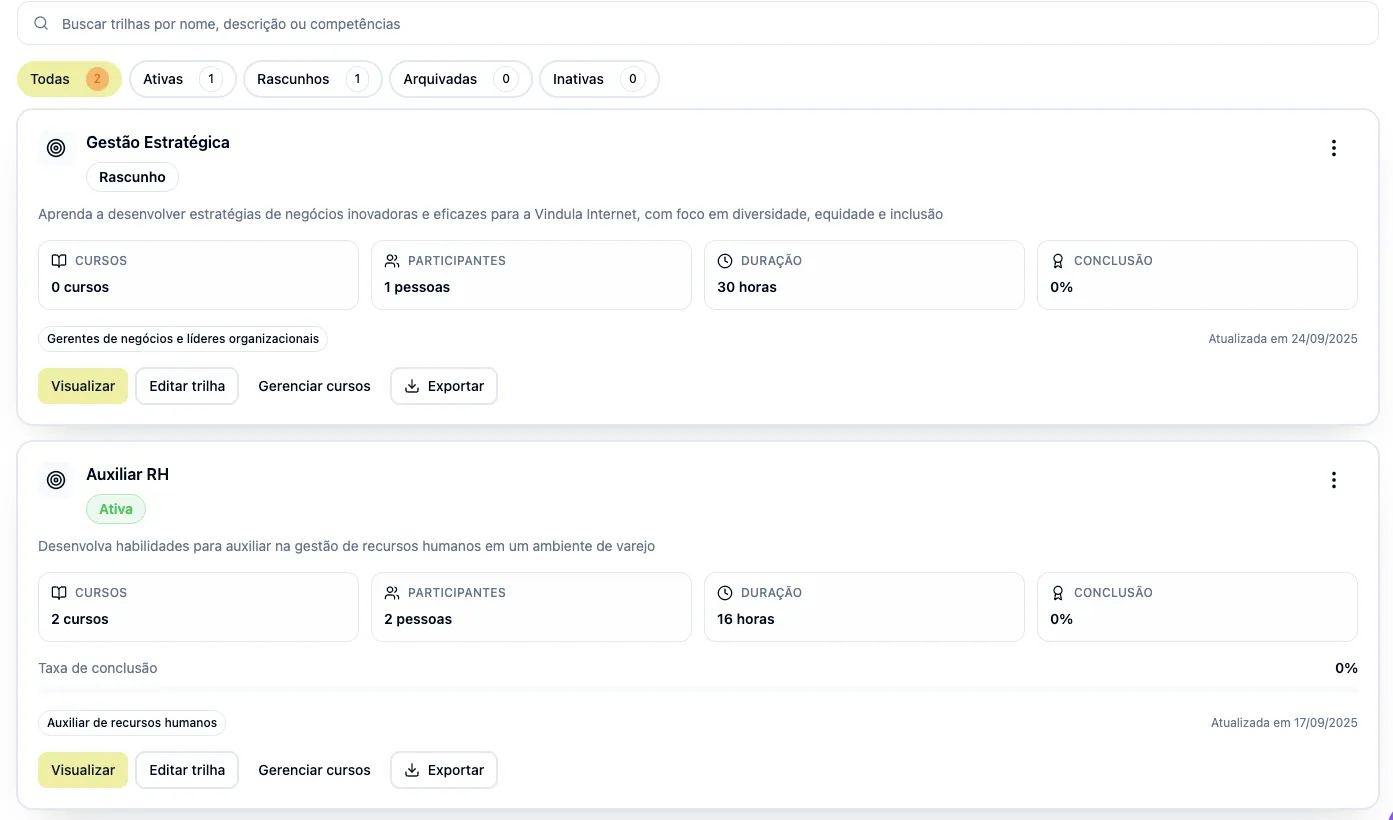
Vindula training paths dashboard

View of the learning path and course tracking environment inside the platform.

Module capabilities

What the Training module includes

See the capabilities that are part of Vindula’s LMS and enter the routine of onboarding, training, and completion.

Learning structure

The core building blocks to assemble the catalog, learner journey, and training content.

  • Learning paths

    Training sequences by role, area, unit, or stage of the journey.

  • Courses

    Course catalog for onboarding, refreshers, and continuous development.

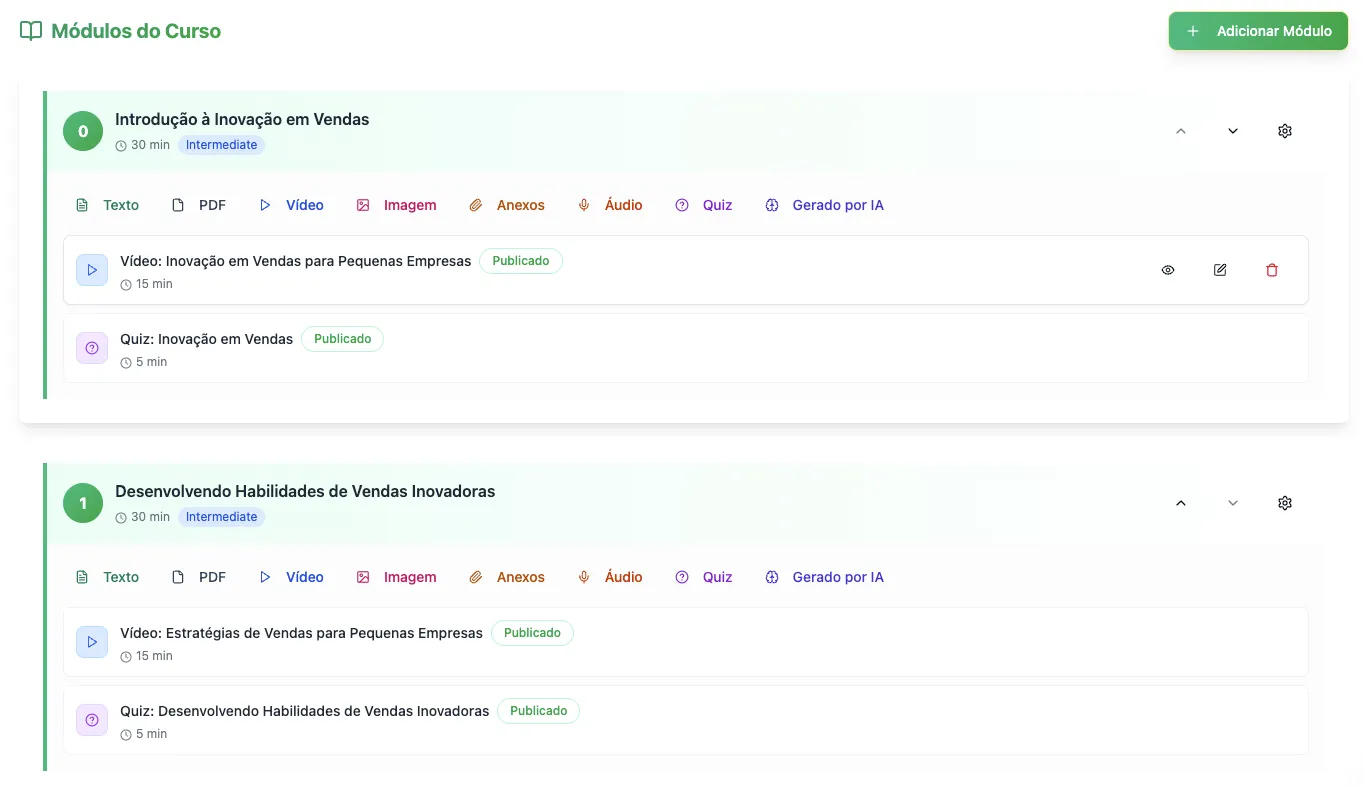
  • Modules

    Intermediate structure to organize learning blocks inside a course.

  • Lessons and content

    Lessons, materials, and official content that support training execution.

  • Categories

    Portfolio organization by topic, area, or journey type.

  • Course library

    Area to browse the catalog available to the right audience.
Distribution, onboarding, and execution

Training enters the company flow with clearer context, audience, and steps.

  • Onboarding by role or unit

    Initial journeys adapted to the employee’s reality and operational context.

  • Audience-based availability

    Delivery by area, team, unit, role, or journey need.

  • Audience templates

    Templates to reuse recurring segmentations without rebuilding rules every time.

  • Schedule and sessions

    Organization of study time, sessions, and training execution routines.

  • Instructors

    Registration and management of instructors linked to courses and journeys.

  • Checklists and official content

    Training connected to company documents, routines, and formal guidance.

Progress, assessment, and certification

The module makes execution, completion, and proof of training clear.

  • Progress by person

    Individual tracking for progress, pending work, and completion.

  • Quizzes and assessments

    Learning validation throughout the path or course.

  • Certificates

    Completion proof with certificate issuance and management.

  • Certificate templates

    Templates to standardize issuance according to the training context.

  • Completion reports

    Visibility into who completed, who is pending, and where the flow stalls.

  • Ranking and engagement

    Surfaces that reinforce participation when the project uses this stimulus.

Management, reporting, and governance

The administrative layer that keeps the LMS organized, auditable, and operable day to day.

  • Administrative dashboard

    Management areas for courses, learning paths, progress, and module operations.

  • LMS user management

    Control of audiences and operational follow-up of module usage.

  • Analytics and KPIs

    Metrics for progress, engagement, sessions, and training performance.

  • Video and study analytics

    More detailed tracking of content consumption, sessions, and study evolution.

  • Permissions and module context

    Access governance for admin profiles, HR, leadership, and operations.

  • AI to support training

    AI can support analysis, organization, and productivity gains in LMS routines.

Operational control

What HR, leadership, and operations start controlling day to day

The module’s value is not only in publishing courses. It is in organizing distribution, progress, evidence, and management of the learning journey without parallel controls.

Build learning paths, courses, modules, and lessons in the same environment.

Distribute onboarding, refreshers, and mandatory training by audience, role, area, or unit.

Connect checklists, documents, and formal guidance to the training flow.

Track progress, completion, and pending items by person, course, and path.

Apply quizzes, assessments, and learning validations inside the journey.

Issue certificates and keep standardized templates by context.

Organize instructors, categories, library, and LMS administrative routines.

Read reports, analytics, and KPIs to identify completion and engagement bottlenecks.

Connect training with HR, communication, documents, and, when relevant, gamification.

Best fit

Where this module usually makes the most sense

The gain appears faster when the company needs to standardize onboarding, refreshers, mandatory training, and proof of completion without losing operational context.

01

Multi-unit operations

When the company needs to train distributed audiences without losing local context.

02

Field teams, plants, and frontline

Especially useful when training needs to enter the real rhythm of operations.

03

Frequent onboarding and refreshers

For companies with high movement, continuous integration, or recurring content updates.

04

Compliance and evidence

When completion, certificates, and history must support audits or operational governance.

FAQ

What usually comes up in training conversations

Objective questions to align expectations about the module and what it actually delivers today.

What features are included in Vindula’s training module?

The module brings together learning paths, courses, modules, lessons, categories, a course library, audience segmentation, onboarding by role or unit, schedules and sessions, instructors, progress by person, quizzes, certificates, certificate templates, completion reports, and administrative analytics.

Can the module be used for onboarding and mandatory training?

Yes. The module makes sense when the company needs to organize onboarding, refreshers, technical training, and mandatory content with contextual segmentation, progress history, and proof of completion.

Does the module track completion and pending items by person?

Yes. There are progress surfaces, completion reports, and analytics that help HR, leadership, and operations see who completed, who is still pending, and where the journey needs adjustment.

Does the module issue certificates?

Yes. The LMS includes certificates and certificate templates, helping standardize proof of completion according to the training type and company policy.

Can training be segmented by area, unit, team, or role?

Yes. The module logic connects with the platform’s organizational cuts to distribute journeys and content to the right audience.

How does Training connect with HR, documents, and communication?

When the journey starts in onboarding, the module connects with HR. When it needs procedures, manuals, and formal materials, it connects with document management. When it needs promotion, reminders, or internal campaigns, it connects with Communication. The gain comes from not separating training from the rest of operations.

Does the module have AI features?

Yes. The platform can also support training routines with AI-assisted resources, especially for analysis, organization, and workflow acceleration. Even so, the module’s core remains the LMS with paths, courses, progress, certificates, and analytics.

Want to see how this fits into your company’s onboarding and training routine?

The guided demo starts from your operation’s main pain and shows how learning paths, content, documents, and communication enter first in your company’s real scenario.