
Feature map

Vindula platform features organized by module

Use this page as a quick index to find the right module before diving into a demo or a specific solution.

Module overview

A shortcut to navigate the feature list

The cards below work like a summary. Open the module that is closest to your main pain and jump straight to the corresponding table.

Intranet

Intranet: the core official channel and governance layer

This is where the features that sustain the company’s main environment live: official publishing, people context, navigation, consultation, and evidence.

See module page

Official channel and publishing

The intranet core for publishing, highlighting, and distributing information in the official environment.

  • Feed and official posts

    Publications with comments, likes, polls, and audience targeting.

  • Pages and highlights

    Intranet areas to organize home, banners, shortcuts, and recurring communication.

  • Corporate events

    Internal events agenda and invitations for the right audience.

  • Visual boards and panels

    Content for TVs, digital boards, and communication in physical points.

People, structure, and access

The context that defines who sees what and how operations are organized.

  • People directory

    Employee lookup, profiles, and internal networking.

  • Departments, units, and job titles

    Org structure to segment, consult, and govern.

  • Teams and members

    Formal teams with leaders, members, and working context.

  • Contextual navigation

    Menus, links, and shortcuts organized by need and permission.

Knowledge, documents, and governance

The intranet stops being just a bulletin board and starts concentrating consultation, obligation, and evidence.

  • Knowledge Hub

    Knowledge spaces and pages for ongoing reference.

  • Library and collections

    Official documents, categories, and support material inside the same channel.

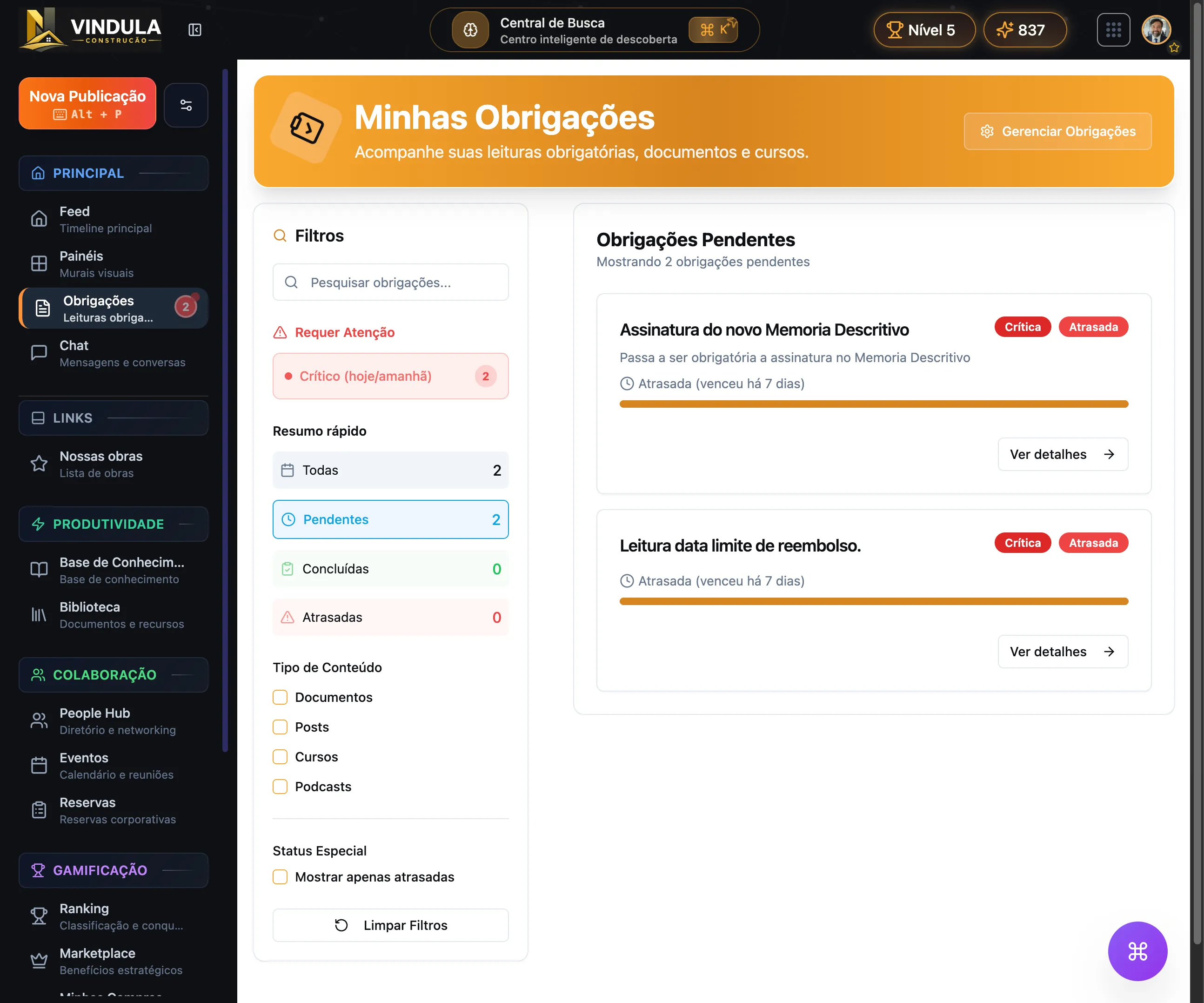
  • Mandatory reading

    Acknowledgment and tracking when content requires evidence.

  • Tasks and pending items

    Pending items tied to daily routines and official flows.

Communication

Communication: segmented publishing in the right channel

This block brings together the resources to publish, distribute, interact, and keep history when the company treats communication as an official process.

See module page

Segmented publishing

Resources to publish with context, priority, and audience targeting.

  • Corporate feed

    Official posts for the company’s main communication channel.

  • Audiences by area, unit, and team

    Distribution by operational context without duplicating work.

  • Editorial scheduling

    Publication planning for the internal editorial routine.

  • Highlights and priority

    Controls that increase visibility for critical content.

Channels and formats

Communication is not limited to a single format or screen.

  • Channel-based chat

    Public or private conversations by team, theme, or operation.

  • Digital boards

    Distribution to TVs, signage, and communication points.

  • Internal podcasts

    Episodes and internal programs with dedicated management.

  • Corporate events

    Invitations, promotion, and follow-up for the internal calendar.

Interaction and control

When content needs to generate response, history, and governance.

  • Comments, likes, and polls

    Social interaction inside the same official communication flow.

  • Approval and moderation

    Queues to review content before or after delivery.

  • Confirmed reading

    Control when a communication needs evidence of reading.

  • History by audience and publication

    Visibility into who received, read, or still has pending action.

Human Resources

Human Resources: structure, employee journeys, and people documents

This section follows the HR page baseline and brings together people records, org structure, absences, vacations, documents, privacy, and HR communication in the same environment.

See module page

Organizational structure

The HR foundation to organize company, areas, units, and responsibilities.

  • Company

    Core settings for the corporate structure.

  • Departments

    Business areas that publish, receive, and approve content and processes.

  • Job titles

    Roles used for segmentation and people records.

  • Units, locations, and org chart

    Branches, plants, addresses, and visibility into leaders and teams.

People records, journey, and record mode

Resources to manage employees, internal movements, and history without parallel controls.

  • User management

    Employee records and maintenance with organizational context.

  • Import users

    Bulk import from spreadsheets with field mapping.

  • Profile fields

    Custom fields to reflect the company’s real operation.

  • Absences and vacations

    Requests, approvals, and history for internal employee journeys.

  • Employee record file

    Electronic record file by employee ID or another identifier.

  • Promotions and internal moves

    Tracking of promotions and internal moves in the employee journey.

Documents, privacy, and requests

Formal flows for payslips, vacations, consent, and employee privacy requests.

  • Payslips

    Upload, processing, and signature when the flow requires it.

  • Income statements and vacation documents

    Dedicated categories for yearly documents and vacation flows.

  • Administrative privacy dashboard

    Request treatment and history on the company side.

  • Employee privacy portal

    Tracking for requests, consents, and exports.

  • Consent terms

    Publication, pending acceptance, and consent history.

  • Data export

    Request and download of employee corporate data.

HR communication

Resources for HR to publish with institutional identity and onboarding journeys.

  • Corporate personas

    Official identities for HR publications.

  • Automated welcomes

    Messages and initial journeys for new hires.

  • Email signatures

    Per-employee corporate template with central management.

GED

Document management: official repository, validity, and traceability

This is where the features live to organize policies, procedures, manuals, and evidence for official documents in the right version.

See module page

Repository organization

Structure to store, find, and consult official documents.

  • Document library

    Central environment for policies, manuals, and procedures.

  • Collections and categories

    Organization by context, topic, or document type.

  • Tags and custom fields

    Metadata to detail, filter, and locate content.

  • Search and consultation of the official version

    Faster access to the right document for each audience.

Document control

Resources to ensure context, validity, and history for each document.

  • Versioning

    Version history and formal updates for the material.

  • Validity control

    Validity rules by global policy, category, or document.

  • Owner and context

    Definition of owner, scope, and expected use of the document.

  • Change history

    Tracking of what changed and when it took effect.

Evidence and distribution

When official documents must circulate with controlled access and proof of consultation.

  • Reading and acknowledgment

    Evidence when the document requires formal acknowledgment.

  • Audience-based access

    Distribution by area, unit, role, or team.

  • Preview and consultation

    Document consultation inside the official environment itself.

  • Traceability for audits

    Accessible history for quality, safety, and compliance teams.

Training

Training: learning paths, onboarding, and completion in the flow of work

This layer brings together Vindula’s LMS to organize onboarding, technical training, and proof of completion in the same work environment.

See module page

Learning structure

The main building blocks to assemble the catalog and learner journey.

  • Learning paths

    Sequences by role, area, unit, or stage of the journey.

  • Courses

    Course catalog for continuous training.

  • Modules and lessons

    Internal structure for content, sequence, and consumption.

  • Course library

    Area to explore the catalog available to the audience.

Onboarding and execution

Training stops being an isolated campaign and becomes part of the team’s routine.

  • Onboarding by role or unit

    Entry journeys adapted to the operational context.

  • Official content and checklists

    Training connected to documents, routines, and formal guidance.

  • Schedule and sessions

    Study organization and session tracking for the learner.

  • Audience-based availability

    Availability by area, unit, team, or journey need.

Completion and evidence

What provides visibility for HR, leadership, and operations.

  • Progress by person

    Individual tracking for progress and pending items.

  • Quizzes and assessments

    Learning validation inside the path.

  • Certificates

    Completion proof and certificate templates.

  • Reports and analytics

    Engagement, progress, and completion metrics.

Integrations and security

What connects these modules inside the same environment

Vindula’s advantage appears when communication, documents, HR, and training stop living in parallel flows and start sharing context, access, and history.

Segmentation by area, unit, role, team, and other organizational cuts already serves as the base for communication, documents, and training.

Permissions, owners, and operational context help keep publishing, consultation, and updates inside the same official environment.

HR can connect to Communication to publish to the right audience, to Documents for official records, and to Training for onboarding and mandatory journeys.

Mandatory reading, acknowledgment, history, and traceability enter when content needs evidence and not just publication.

The rollout can start with one module and grow later: intranet, communication, HR, documents, and training can compose the same operation without turning into a generic suite from day one.

Security comes from the same design: the right audience, controlled access, clear history, and evidence when the process requires confirmation.

Want to see which features should enter first in your scenario?

The guided demo starts from your company’s main problem and builds a route with the modules that make the most sense for your operational context.